BrokerOps
Console.
A unified desktop application for MT4, MT5, and cBroker administration. Built from real operational pain — faster workflows, fewer errors, full audit trail.
45+
Live servers
3
Platform types
24/7
Uptime target
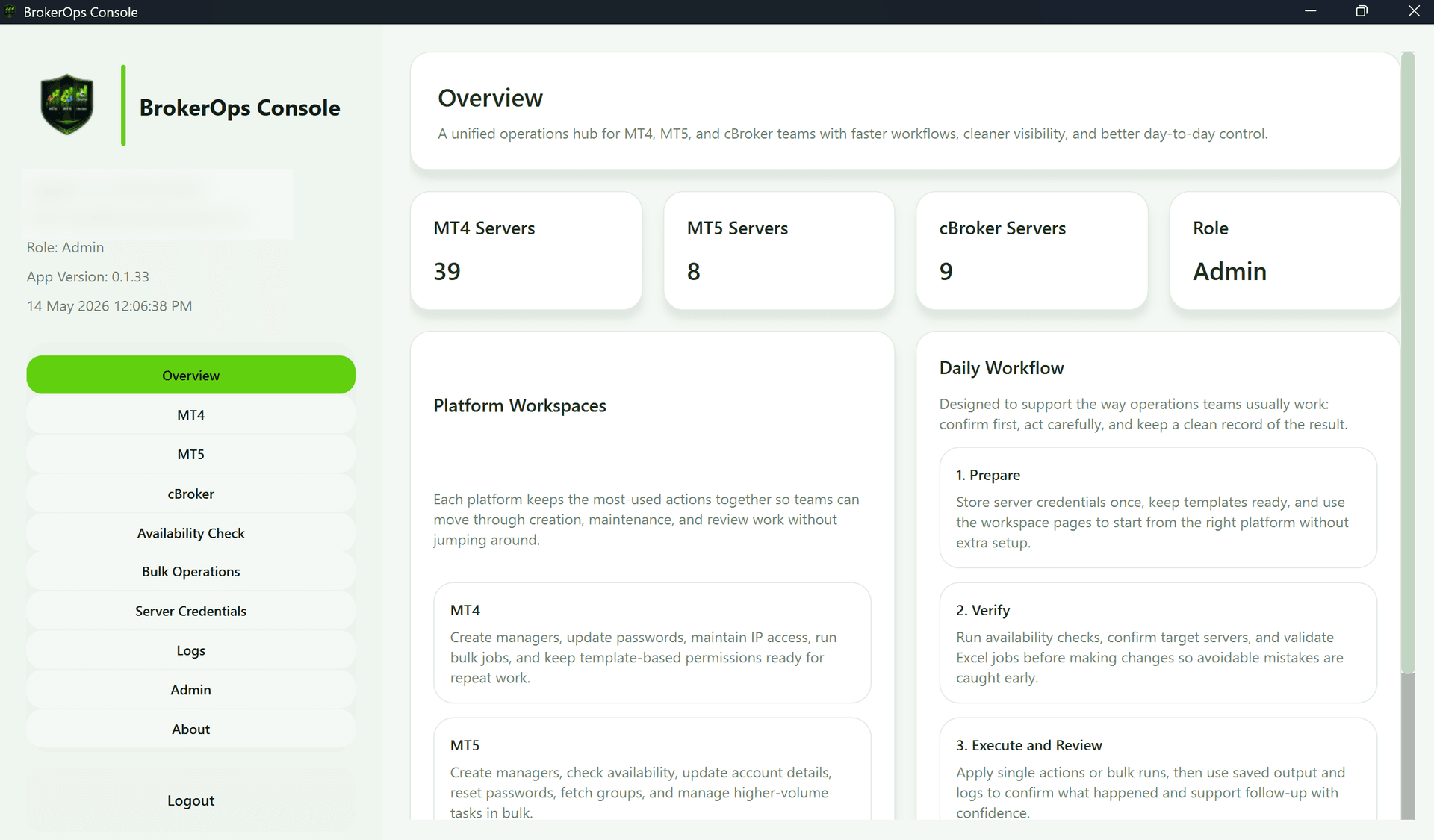
Six core modules. One interface.
BrokerOps Console consolidates the most critical broker admin workflows into a single, audit-ready platform — eliminating fragmented tooling and manual error.
MT4 / MT5 / cBroker workflows
Manager account operations
Password and access workflows
Group and configuration support
Automation for repetitive tasks
Operational visibility for platform teams
See it in action.
These are actual screenshots from BrokerOps Console v0.33 — no mockups.
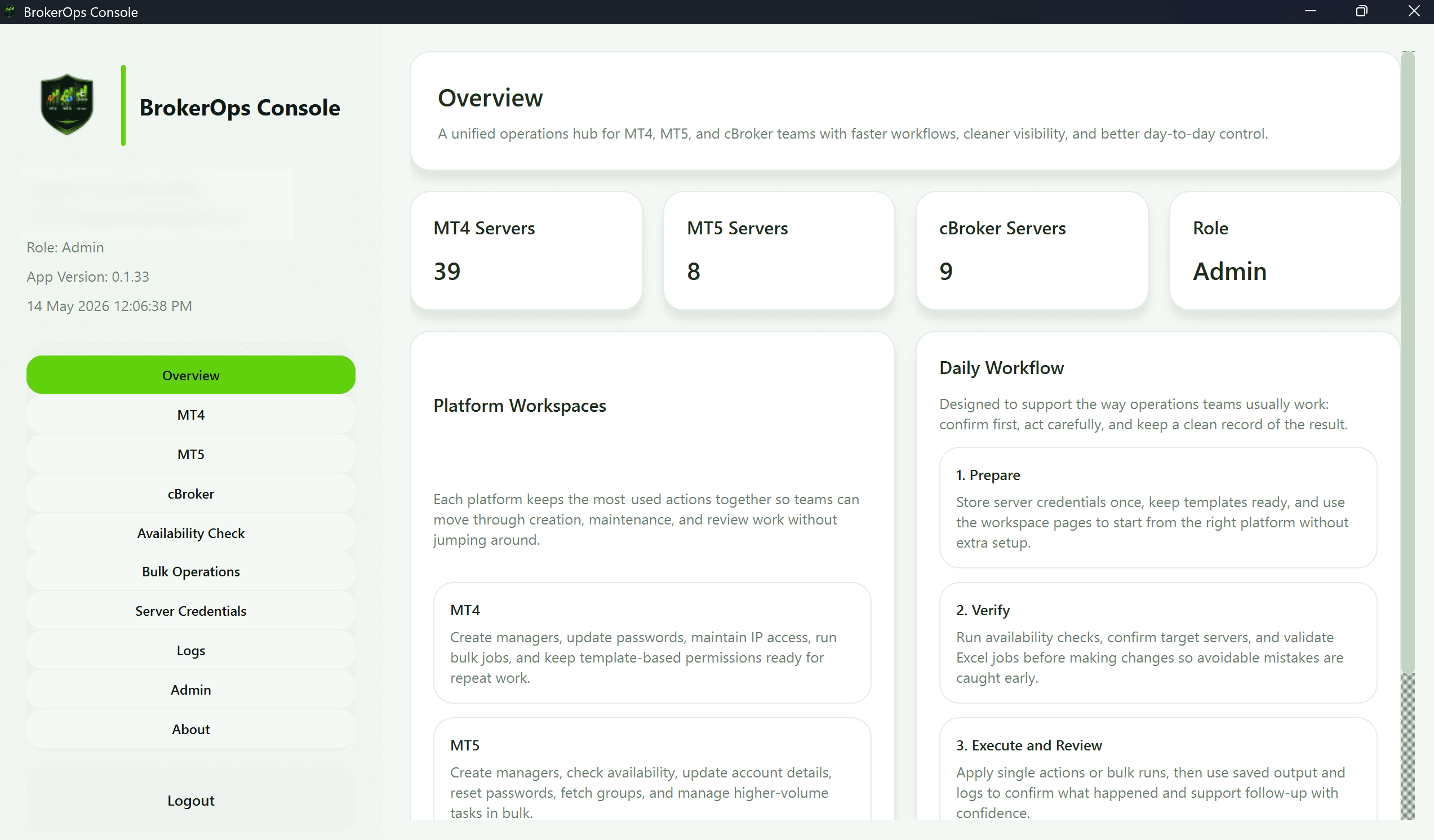
Unified dashboard showing MT4, MT5, and cBroker server counts with platform workspace navigation.
Four steps. End-to-end coverage.
From connection to audit log — every workflow is standardised, validated, and traceable.
Connect
Authenticate against MT4/MT5 Manager API, cBroker Manager API, or OZ Bridge. Multi-server fleet support — 45+ servers handled from a single session.
> brokerops connect --fleet mt5-live
✓ Authenticated: 45 servers online
✓ cBroker API: connected
✓ OZ Bridge: connected
Select Operation
Choose from group operations, account management, password workflows, configuration rollouts, or symbol mapping. Every operation surfaces only what's relevant.
> brokerops ops --type group-config
  [1] Update group settings
  [2] Apply spread override
  [3] Push commission template
  [4] Rollback last config
Execute with Validation
Built-in pre-flight checks prevent bad config from reaching live servers. Dry-run mode available for every operation — run it on staging before touching production.
> brokerops exec --dry-run --target MT5-LIVE-01
Pre-flight: PASSED ✓
Impact: 3 groups · 12 symbols
Ready. Re-run without --dry-run.
Auto-Audit Trail
Every action is timestamped, attributed, and immutably logged. Compliance and audit needs are handled without extra work — zero manual documentation required.
> brokerops audit --last 24h
[09:12] group.update  · MT5-LIVE-01 · d.bhatt
[09:14] password.reset · #1042 · d.bhatt
[11:03] config.sync   · MT4-LIVE-01 · d.bhatt
Built for the people
running the back-office.
If your broker infrastructure needs a dedicated platform administrator, or you want to know more about BrokerOps Console — let's connect.
45+
Servers managed
3
Platform types
0
Untracked operations
Reach out directly: